 Bodycam Guides
Where to find red Loadout crates on Bodycam Trenches
The red chest gives you the primary and secondary weapons from your equipped loadout. One chest was found inside a timber room reached after a red-lit passage. Both crate types are placed randomly each Trenches match. Use the timber room as an early check and take a nearby plain weapon box when you need a gun or light now.
Updated · The Dead & Damned v0.9–0.9.1 · Steam PC
Steps
Equip the preset you want before the run
Use the Loadout menu before starting Zombies. Equip the preset with the primary and secondary you want from the red crate. Fit a flashlight to a compatible weapon in that preset if you are counting on it to light the next run.
Check the red-lit timber approach
In the pictured run, the approach passed a red-lit end of a timber-lined passage. The camera then turned toward a small wooden doorway, with the chest inside the room. If you recognize that approach from your spawn, check the adjoining timber room while the path is open.
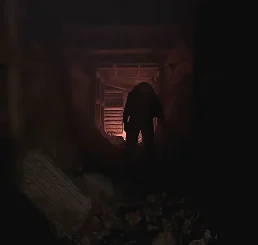
This red-lit passage was on the way to one recorded crate. Gameplay by FrozEddYT. Use the interaction prompt at the red chest
Look for a red-painted lid and front panels with question marks. Use your bound Interact action when the prompt appears. Check the weapons you receive against the preset you equipped, then check the light on the one you are holding.
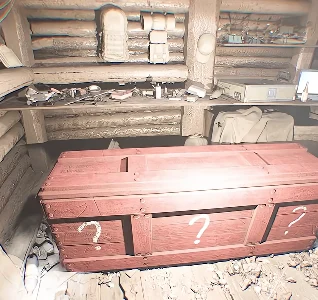
Red paint distinguishes the preset chest. Both box types may have question marks. Gameplay by FrozEddYT. Take a plain weapon box if the search stalls
The plain wooden crate gives you a weapon with randomized attachments. The developer says most of these weapons roll a flashlight. Check the actual gun. If the red crate is absent or enemies cut off the room, loot the first safe weapon box and move on with the ten-minute run.
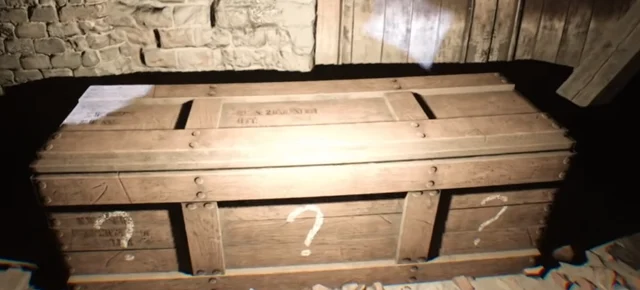
The plain wood crate with question marks is the random weapon box. Gameplay by RAT.
Completion
The pickup matches the weapons in your equipped preset after opening the red crate. If you used a plain box, check the new weapon and its attachments before choosing your route.
If you get stuck
If the timber room is empty, check other rooms along the route you are already using or take the first safe plain box. If you receive the wrong preset weapons, check which loadout is active before the next match. If your gun gives you only a laser dot, check its flashlight attachment and binding.