 Bodycam Guides
Where to find two Bodycam Village red crate locations
Look left at the raised plank landing by the wooden shed just past spawn. Farther uphill, check the right side by the stone post at the iron fence. A red loadout box has been filmed at each spot.
Updated · Steam PC · v0.9.1
Steps
Look left in the first village area
Once you enter the first village area beyond spawn, turn left toward the wooden shed. Look across the short raised plank landing with upright posts. The crate in the recorded run sat against the shed wall facing the walkway.
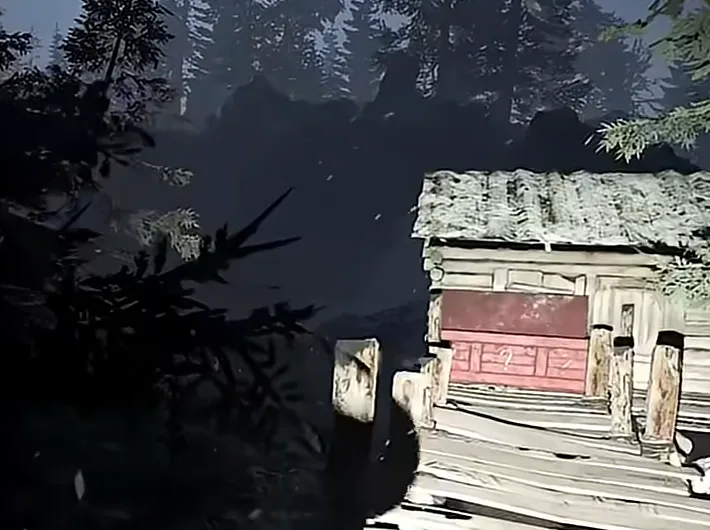
Look for the crate facing the planks by the shed. Gameplay by FrozEddYT. Check the iron fence uphill
Continue through the village until you reach a snowy uphill approach with a pointed iron fence and a tall square stone post. Check the right side of the approach. The filmed crate was set against the fence immediately beside the post.
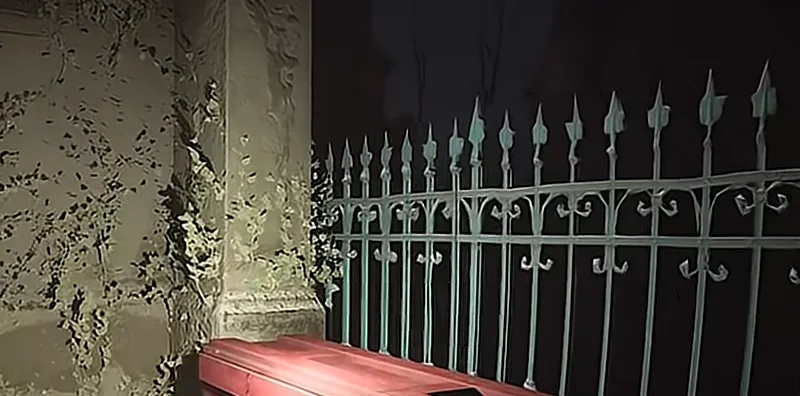
The red lid is tucked against the fence at the base of the stone post. Gameplay by FrozEddYT. Use the prompt on the red loadout box
Look for a long red chest with question marks and interact when the prompt appears. For comparison, a standard weapon box can roll different attachments.
Completion
You receive the primary and secondary weapons from your equipped loadout.
If you get stuck
If a spot is empty, check the other and continue if neither has a crate. Spawn rates for these locations are unconfirmed. For unexpected attachments, check your preset and which box you opened.